Hi Friends,
How has your week been? I am loving all the sunshine lately and my kids have been busy this week “secretly” making mothers day card and plans. Which makes me smile. I feel so loved by all the effort they are putting in to making it a special day while we are social distancing.
Since Mother’s Day is just around to corner, I though it would be fun to give you a quick tutorial on how to take a family photo with your phone. I know many of us are still practicing social distancing but that doesn’t mean we can’t have a Mother’s Day family photo.
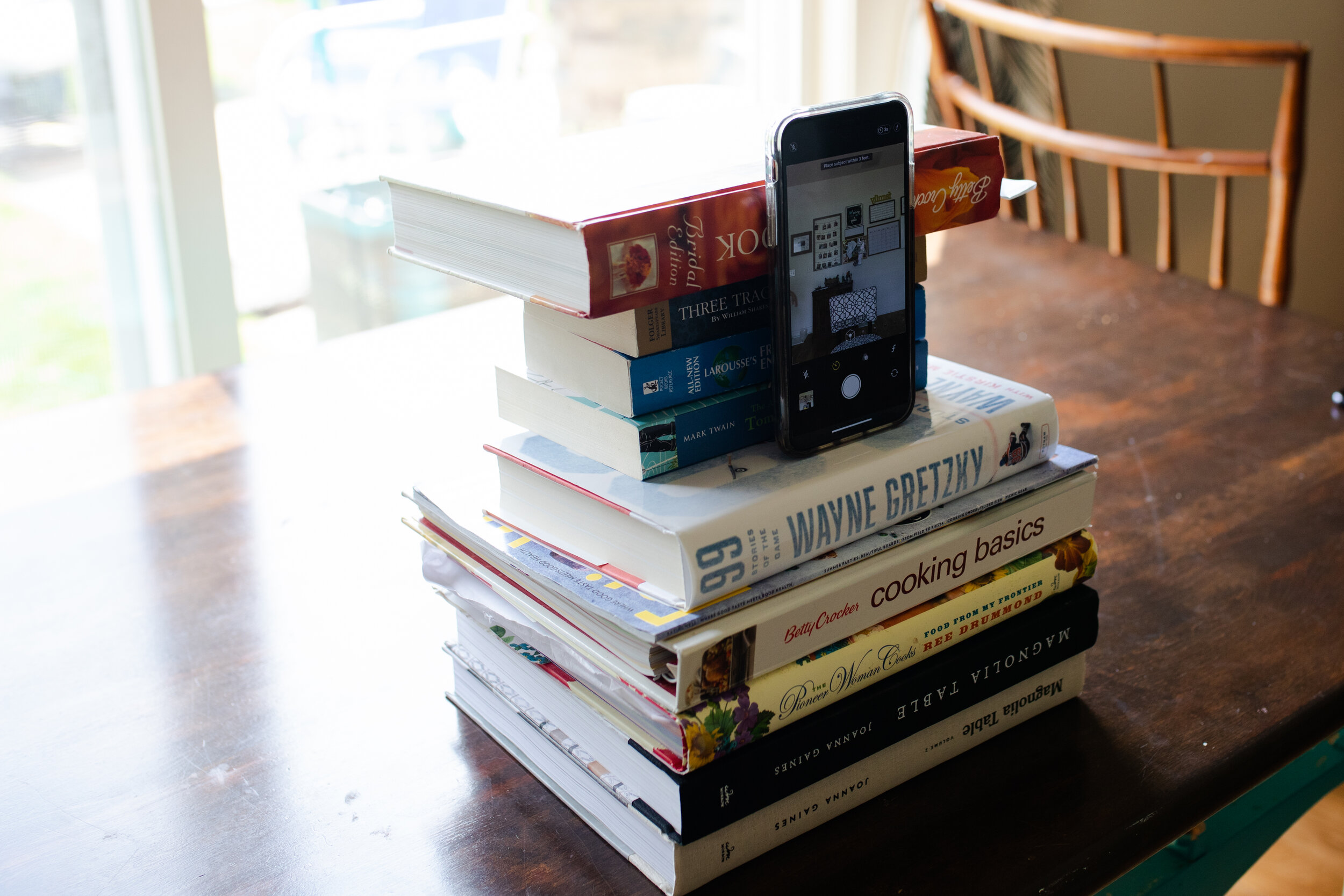
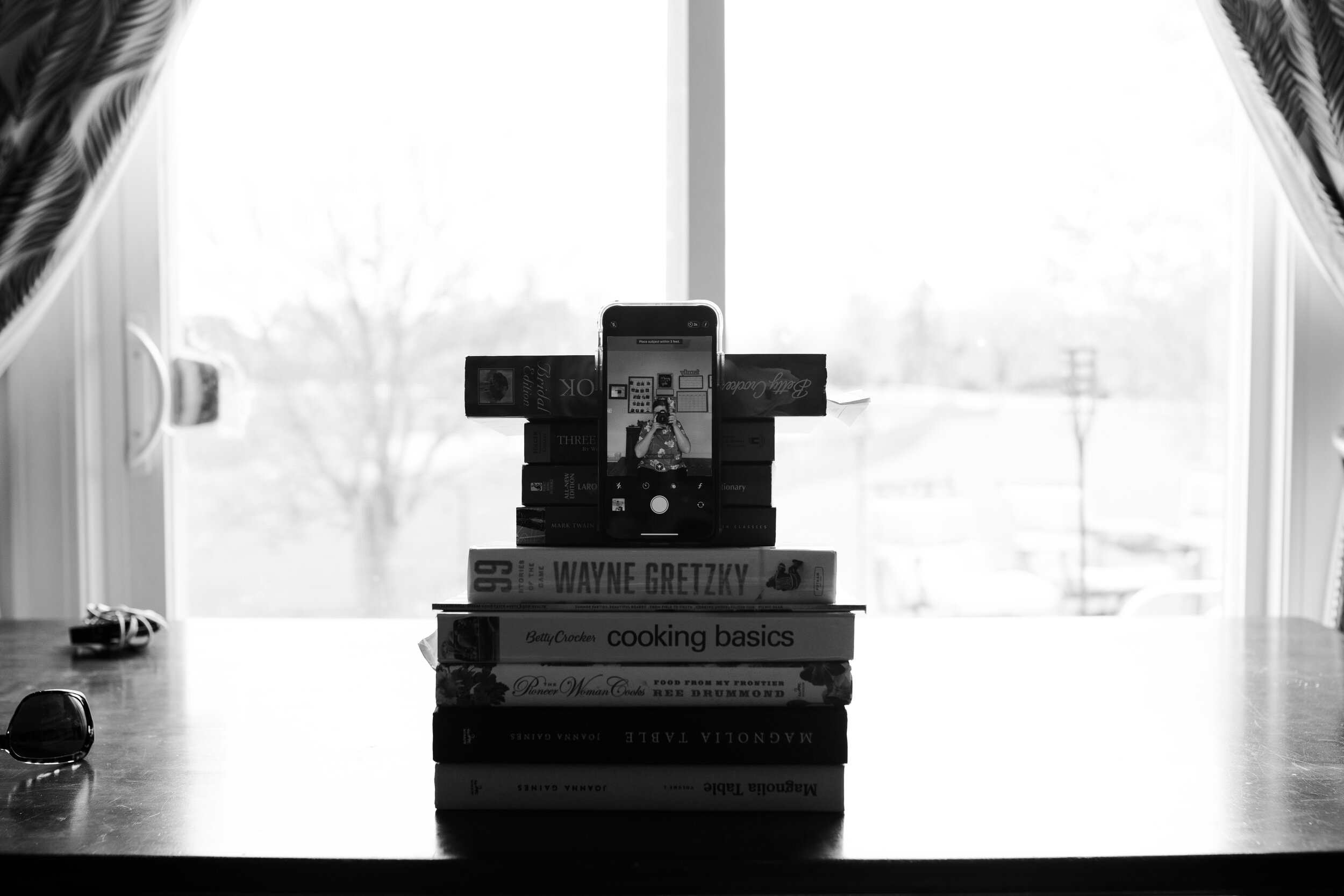
First things first, Supplies.
You will need a just a few supplies.
–A phone, I will be using my iPhone.
– Phone tripod or a stack of books.
–A table to set up your phone
–A Chair, you can take the photo standing, but if you have a larger family having a chair or two will help with posing and variety.
Finding the right spot.
You do not need a lot of space for a spot to be good. You will want to look for a place with good light and a background that is free from distractions.
Now let’s talk lighting. Find a spot in your home with a large window that has nice even light. Then, turn off all the artificial light in the room. Once you have found the perfect spot, make sure that there is nothing in the background that you do not want in the photo. Your family will fill up most of the frame so don’t worry too much about the background.
In my house, the kitchen is the best option for good lighting. If you have trouble finding a good spot near a window, you can also open your front door and take your picture right in the entryway.
The set-up
Now that you have the perfect spot, you can start setting up for the photo. Place a table or a tripod right in front of the window or doorway. Your family should be facing the window light 2-3 feet away from the phone. Pose your family the way that you want them, make sure to leave a space for you in the photo.
Next, you will want to prop up your phone up so that your family is almost eye level with the phone. If you are using a tripod just stand it up do that it is straight and at eye level.
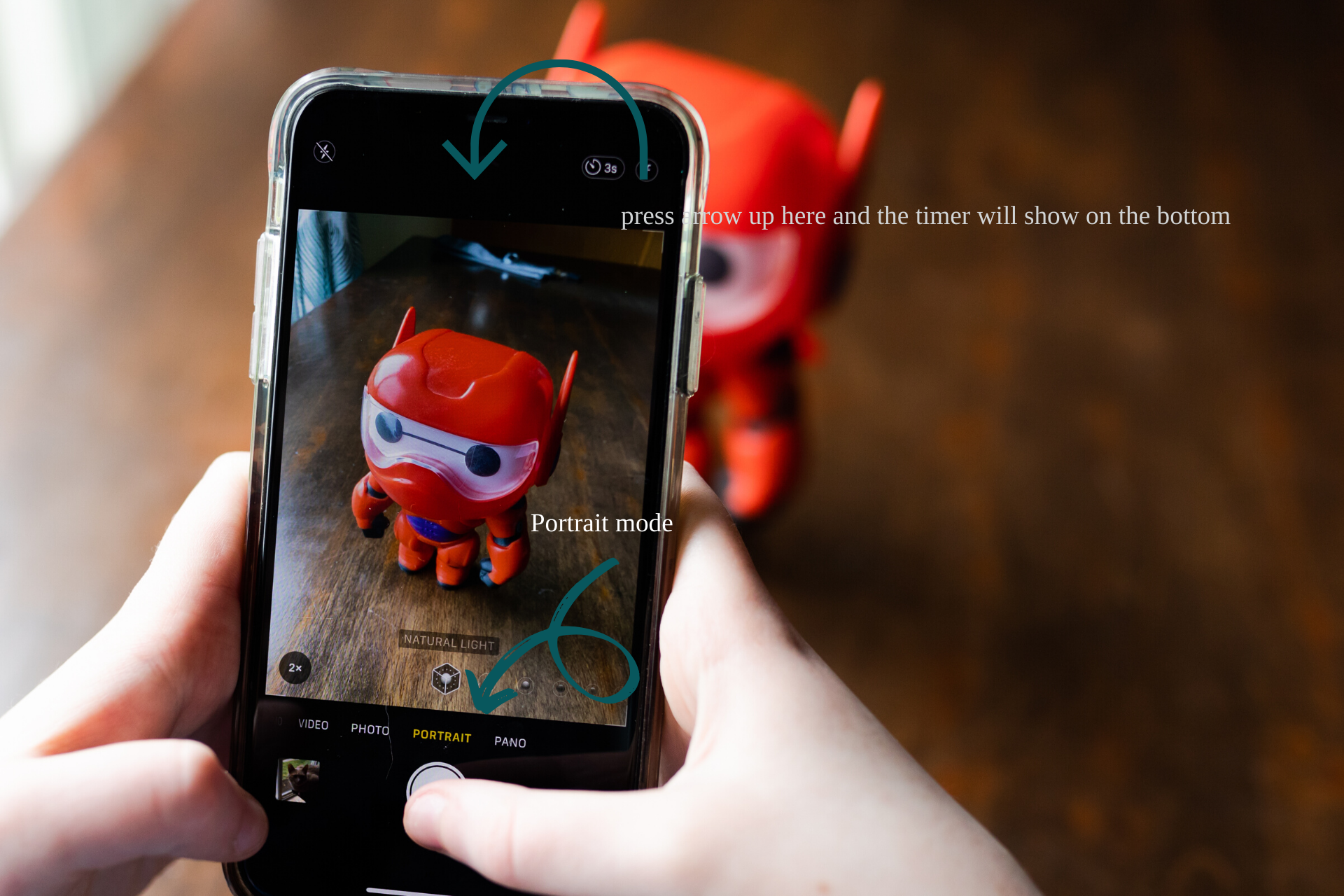
Now open the camera on your phone and flip the camera so that it’s in selfie mode. Put it on portrait mode (if your phone has that feature), this will allow your phone to blur the background a bit.
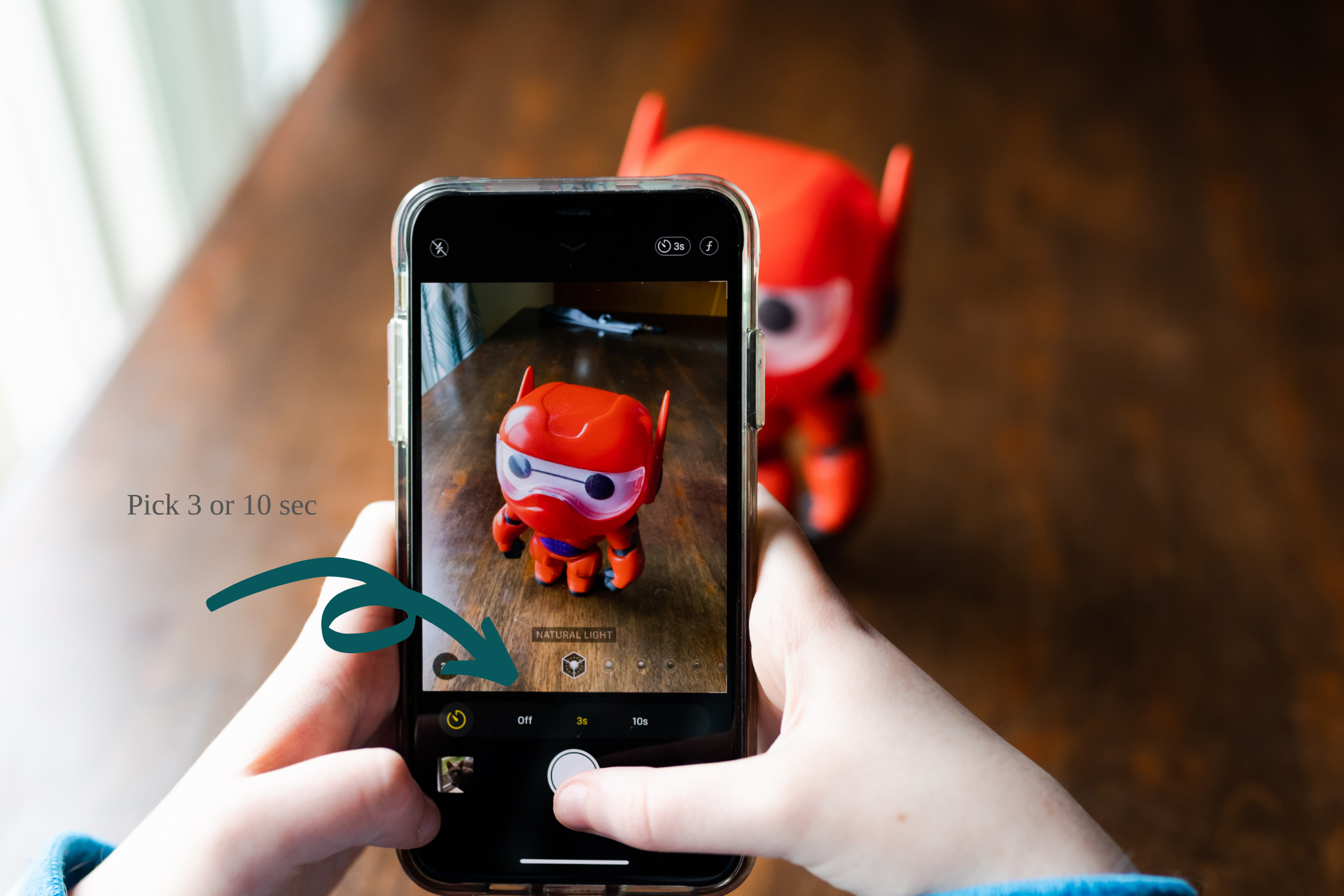
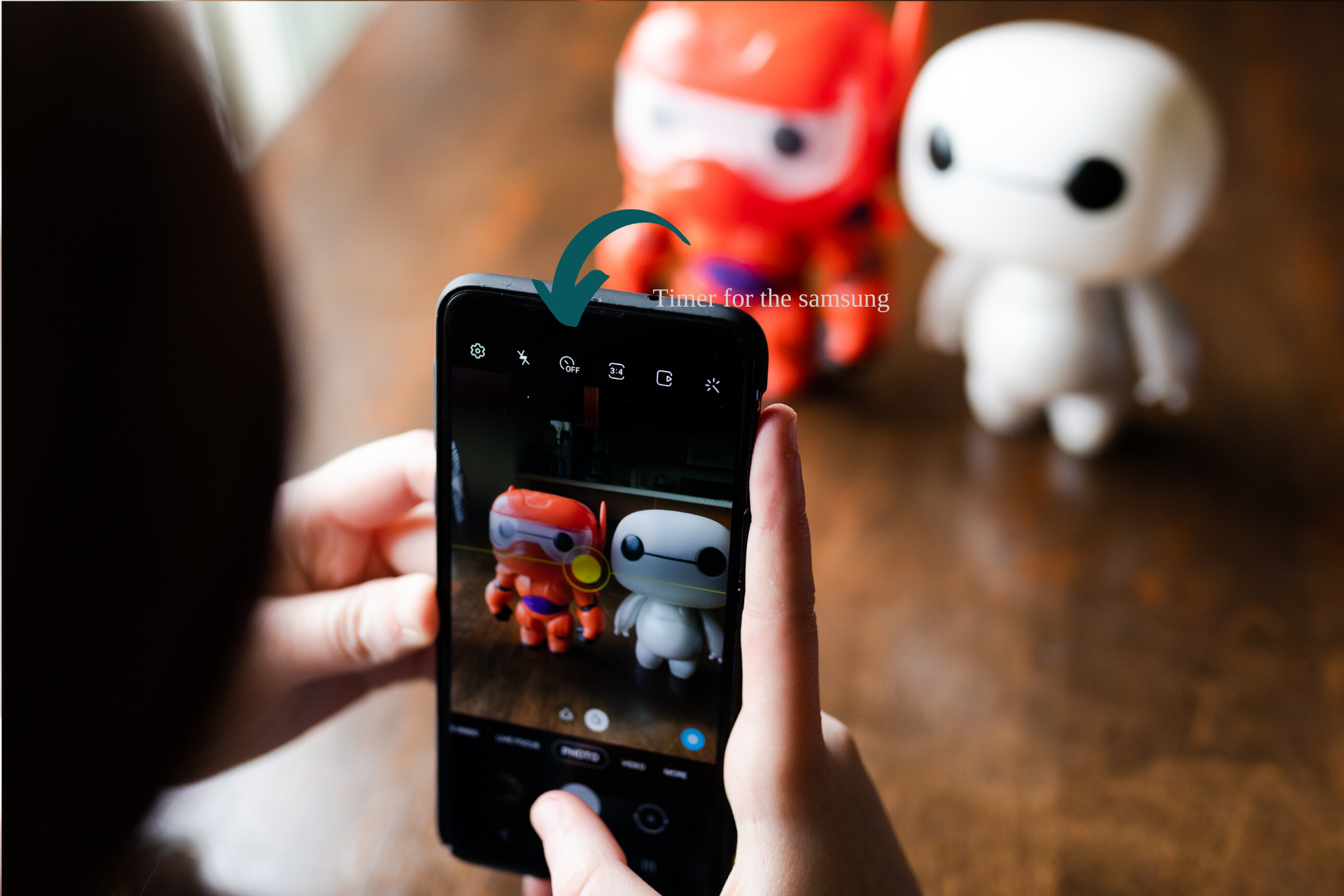
Lastly, set the timer. On an iPhone you will press the arrow on the top of the camera, and it will open the timer menu on the bottom for the phone. Samsung there is a timer icon on the top of the camera. Set the time for 3 or 10 seconds. I find 10s is good amount of time for everyone to get ready.
Snap a photo
Now just snap your photo. I like to take several photos some that are classic and some that are fun. For more variety, have people move around, change positions, you can even change locations. You can see a few samples below. Now, when I was photographing for this tutorial my daughter had tudering that is why she is not in the pictures. Sunday, everyone will be in the frame.
Well that’s it. Simple right? I would love to see the family photos you take this weekend. You can send them to me @toridawsonphotography on Instagram. I will post mine too.
Have a wonderful weekend!
Warmly,
Tori